
A Complete Guide for Retail Display Engineers & Sourcing Leads
Every flawless fixture starts with a flawless BOM — but most are missing the data that makes mass rollout safe, accurate, and cost-efficient.
Too often, engineering teams provide “wood + screws,” while procurement needs surface finish codes, compliance specs, and crate breakdowns. Without these, displays arrive wrong, delayed, or unapproved.
The solution? Build a professional, version-controlled fixture BOM that includes everything from screw size to gloss level — ready for sampling, production, QA, and global shipping.
✅ Summary: What Goes Into a Professional Fixture BOM?
A complete BOM (Bill of Materials) for retail fixtures should include:
- Full part name, spec, material & thickness
- Surface finish, gloss %, color codes (Pantone / RAL)
- Join method, unit quantity, reusable Y/N
- Accessories: screws, tools, lighting, branding
- Packaging method & store kit breakdown
- Compliance (e.g. UL plug, CE LEDs, FSC wood)
Used correctly, your BOM becomes the foundation for costing, prototyping, production, quality control, and global shipment.
Why You Should Keep Reading
If your current BOM says “MDF + screws” — it’s not enough. This guide will show you what engineers, sourcing managers, and quality teams really need to build a smooth rollout plan.
1. How to Structure a Retail Fixture BOM
| Column | Description |
|---|---|
| Item No. | 1, 2, 3... |
| Component Name | Top Shelf, Light Box Frame, Steel Leg |
| Material | MDF, PETG, Powder-Coated Steel |
| Material Code | E1 MDF, RAL9003, Plexiglas XT |
| Dimensions | Length × Width × Height (mm) |
| Thickness | 2.0mm, 18mm, etc. |
| Surface Finish | Matte PU, Mirror Polish |
| Gloss Level (%) | <10% (matte), 30–60% (semi-gloss), >70% (glossy) |
| Color Code | Pantone 426C, RAL 7047 |
| Join Method | Screwed, Glued, Slot-in |
| Accessories | Screws, LED driver, sign plate |
| Quantity | How many units per display |
| Unit Type | PCS, M², SET |
| Reusable? | Yes/No |
| Remarks | Packing notes, install instructions |
2. Easily Overlooked but Crucial BOM Details
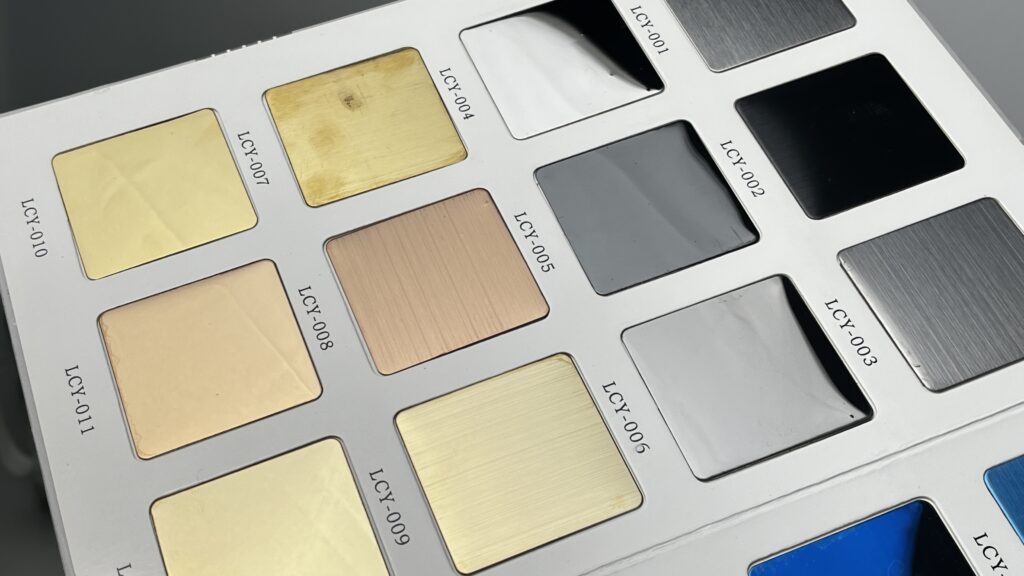
Surface Finish & Gloss Control
Most BOMs under-spec finish. That leads to mismatched color or texture during prototyping.
Example of a complete spec:
RAL 7047 powder coat, gloss level <10%, anti-fingerprint
Always include:
- Coating type: PU / powder / acrylic
- Gloss percentage
- Function: anti-fingerprint, UV-stable
- Texture: brushed, hammered, soft-touch
Use gloss meters or side-by-side reference panels for QC.
Accessory & Store Kit Checklist
| Category | Example |
|---|---|
| Hardware | Screws, feet, brackets |
| Lighting | LED strip, driver, plug type |
| Branding | Logo plate, print, sticker |
| Tools | Hex key, tape, gloves |
| Packaging | Foam sheet, carton insert, label |
Add a “store installation kit BOM” listing how many kits per region/store.